Features

Everything under one roof

Monitor, manage, and market your car wash — from a single platform. Here's what you get with WashSignal.

📡 Monitoring 🌐 Dashboard 🖥️ HMI Remote 🩺 Diagnostics 📊 Analytics 👥 Team 🎨 LED Signs 🔒 Security
Basic + Pro

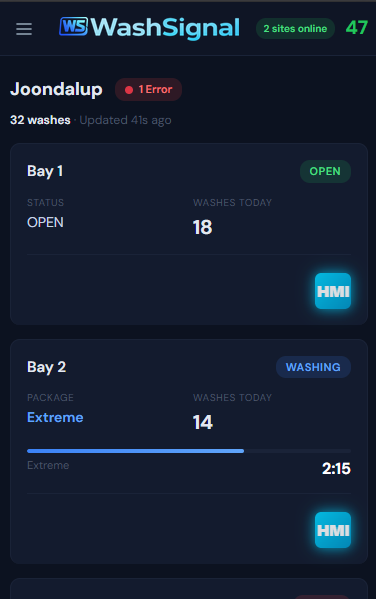
Real-time multi-site monitoring

See what every bay is doing across all your sites — without driving anywhere. Status updates arrive within a second via WebSocket, not on a polling delay.

  • ⚡ Live bay status — Idle, Washing, Complete, Out of Service, Faulted. Updates the moment the state changes on the LaserWash.
  • ⏱️ Countdown timers — see exactly how long each wash has left, ticking down in real-time.
  • 🔢 Today's wash counts — per-bay wash totals for the current day, always up to date.
  • 🏗️ Multi-site at a glance — every site grouped on one screen. No tab switching, no separate logins.
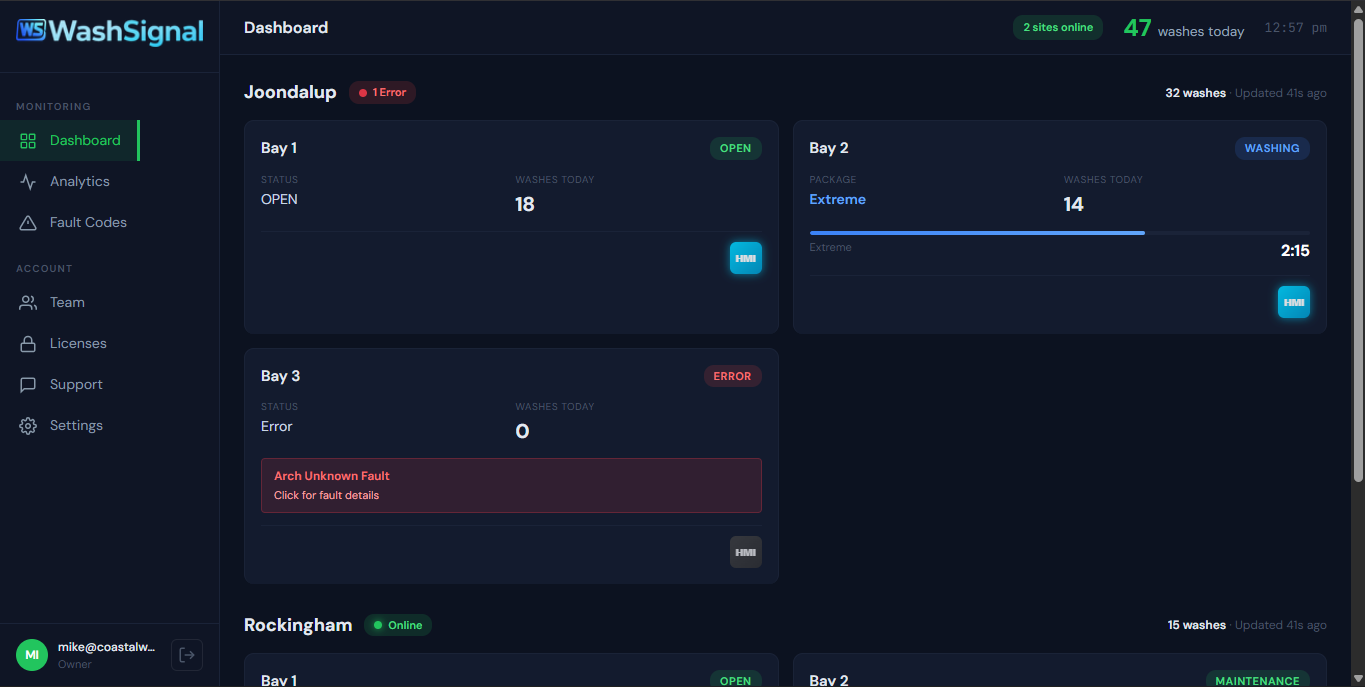
Dashboard with bay cards
Basic + Pro

Web dashboard — monitor from anywhere

The desktop app pushes data to the cloud. The web dashboard at dashboard.washsignal.com lets you check in from your phone, tablet, or any browser.

  • 📱 Works on any device — responsive design, no app to install. Just open your browser and log in.
  • 🔄 WebSocket real-time — not a page you refresh. Bay cards update live as state changes happen on site.
  • 🏢 All sites, one view — multi-site operators see every location on a single dashboard, grouped by site.
  • 🎛️ Remote commands — put a bay in maintenance, send a free wash, or trigger a reset without being on site.
Dashboard on mobile
Pro

Remote HMI access

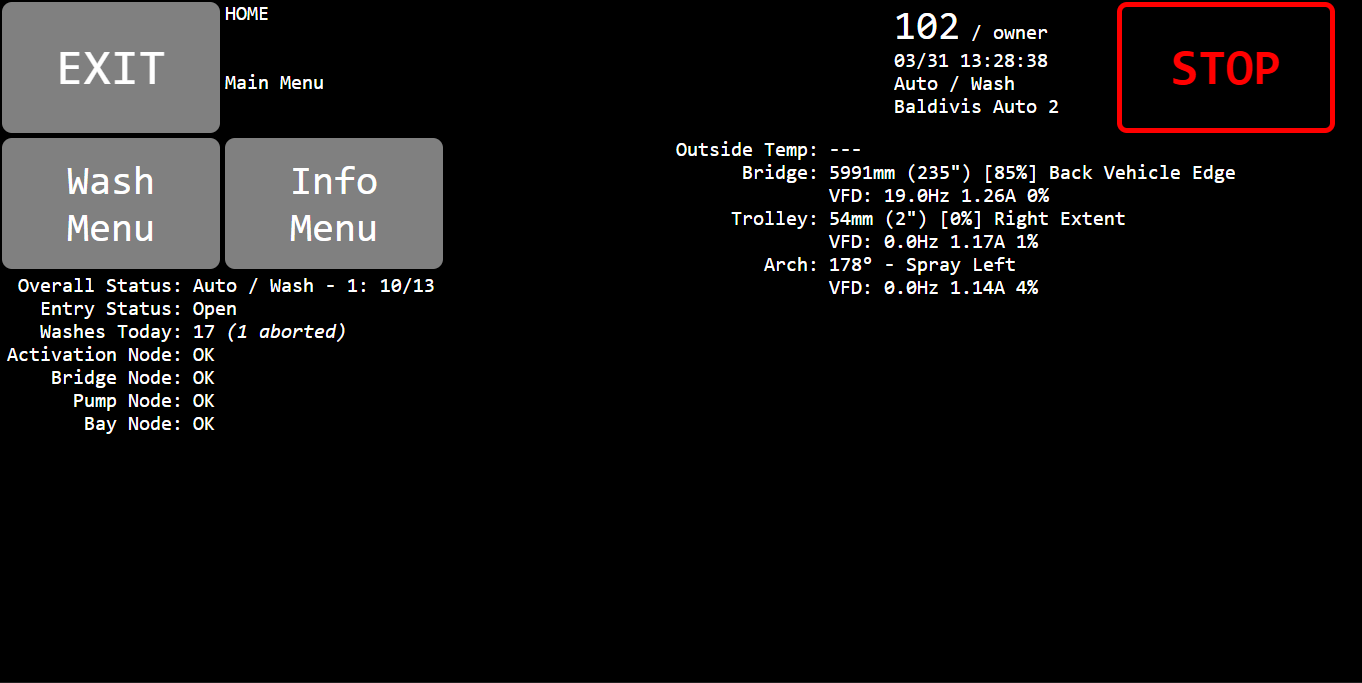
Open the LaserWash touchscreen interface in your browser — from anywhere. Diagnose faults, change settings, run maintenance cycles, all without a site visit.

  • 🔐 Secure SSH tunnels — your LaserWash is never exposed to the internet. All traffic routed through encrypted tunnels managed by WashSignal.
  • 🖱️ Full HMI control — everything you can do on the physical touchscreen, you can do remotely. Same interface, same functionality.
  • 📋 Session management — 2-hour timeout, activity tracking, force disconnect. One active session per bay to prevent conflicts.
  • 🔧 Technician handoff — grant your tech remote HMI access to a specific site. They diagnose the problem without driving out.
HMI in browser
Pro

Drive diagnostics & early warnings

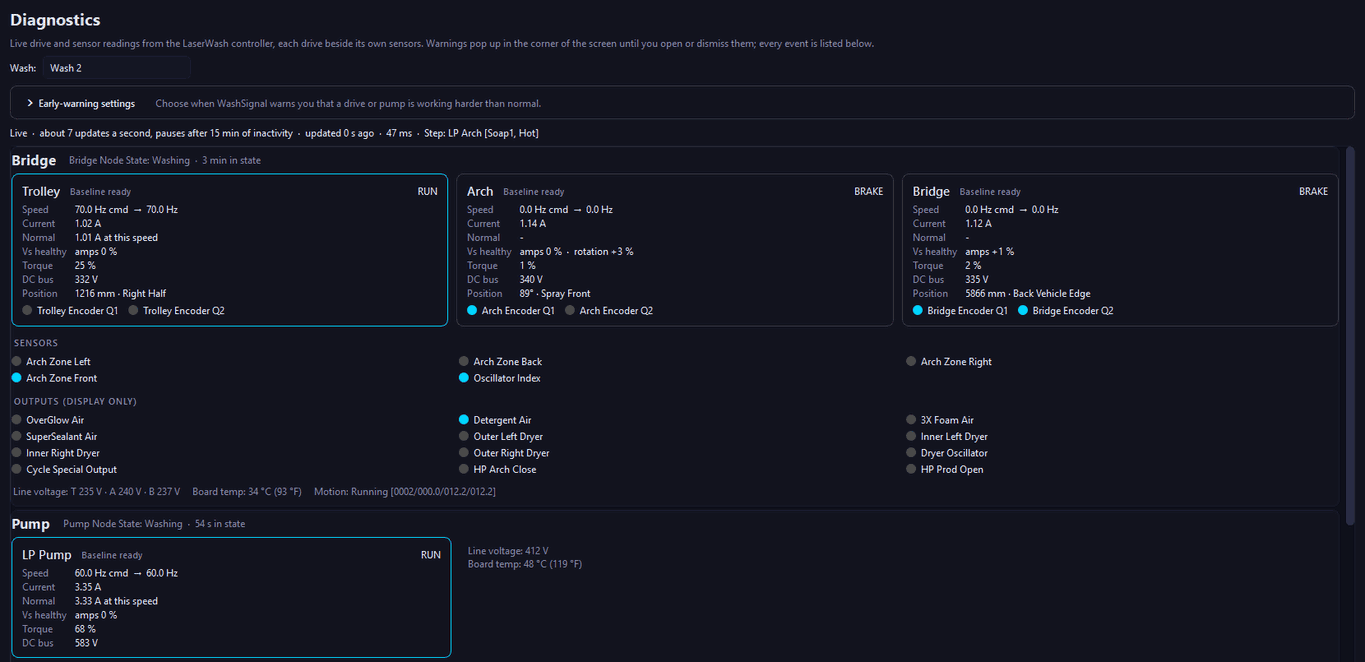
See how every drive on every wash is running — live, and against what's normal for that machine. WashSignal learns each machine's normal amps at every speed, so a drive that starts to struggle shows up as an early warning, not just as a fault.

  • 🔍 Live drive view — the trolley, bridge, arch and LP pump drives, each beside its own sensors, updating as fast as PDQ's own pages.
  • 📈 Learns each machine — warns when a drive runs heavy, jumps suddenly, trends up over several washes, or slowly drifts from when it was healthy.
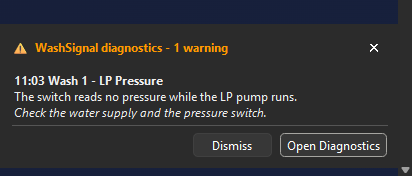
  • ⚠️ Faults the machine reports — arch impacts, drive trips, lost position, and encoder sensors that stop reading, as an alert that stays on screen until you open or dismiss it.
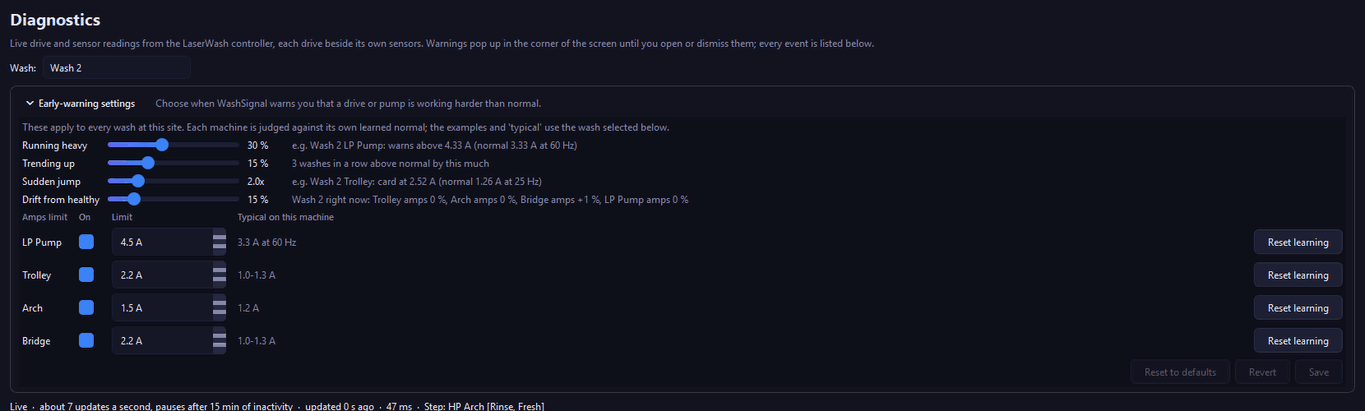
  • 🎚️ You decide when it warns — simple sliders and an amps limit per drive, and "reset learning" after a motor or gearbox is replaced.

Works with LaserWash 360 Plus machines with the Titan controller. Machines with PDQ's newer Pomona controller aren't supported yet.

WashSignal Diagnostics screen - each drive beside its sensors, live
A WashSignal alert card on the desktop
Early-warning settings - sliders and amps limits per drive
Pro

Check any machine, from anywhere

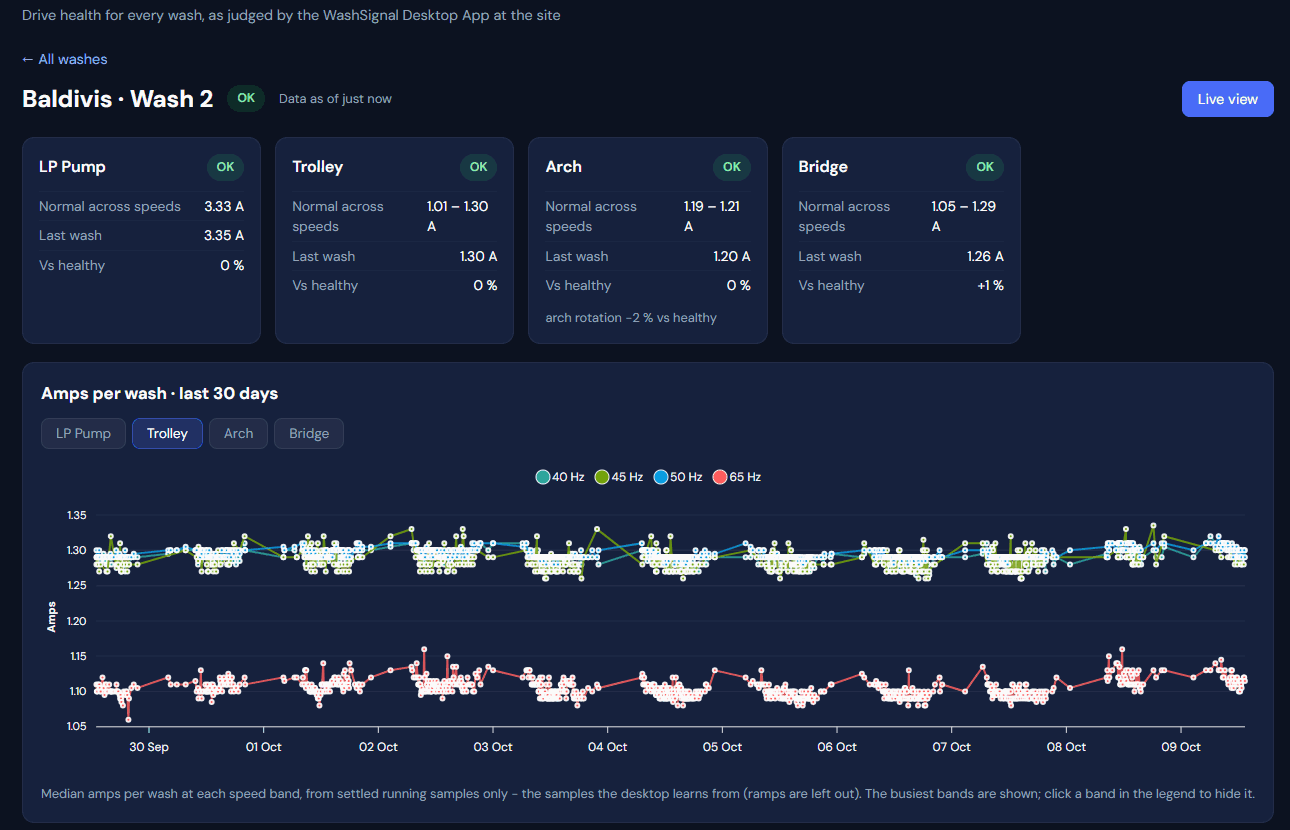
The desktop app sends each wash's drive health to the WashSignal web dashboard — so you can see how every machine at every site is running from your phone, and get the alert when something needs a look.

  • 🌐 Every wash at a glance — each site and each wash, with how far each drive is from healthy and its last event.
  • 📊 30 days of history — amps per wash at every speed, with every event and the minute leading up to it.
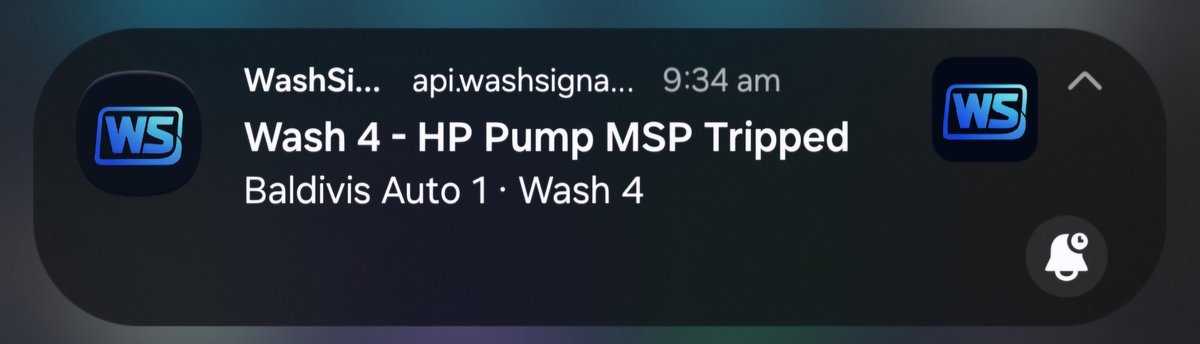
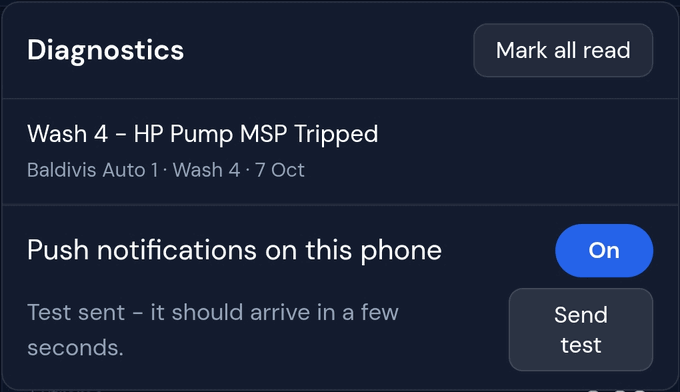
  • 📲 Alerts on your phone — install the dashboard on your phone's home screen and alerts arrive as notifications. Android with Chrome, or iPhone on iOS 16.4 or later.
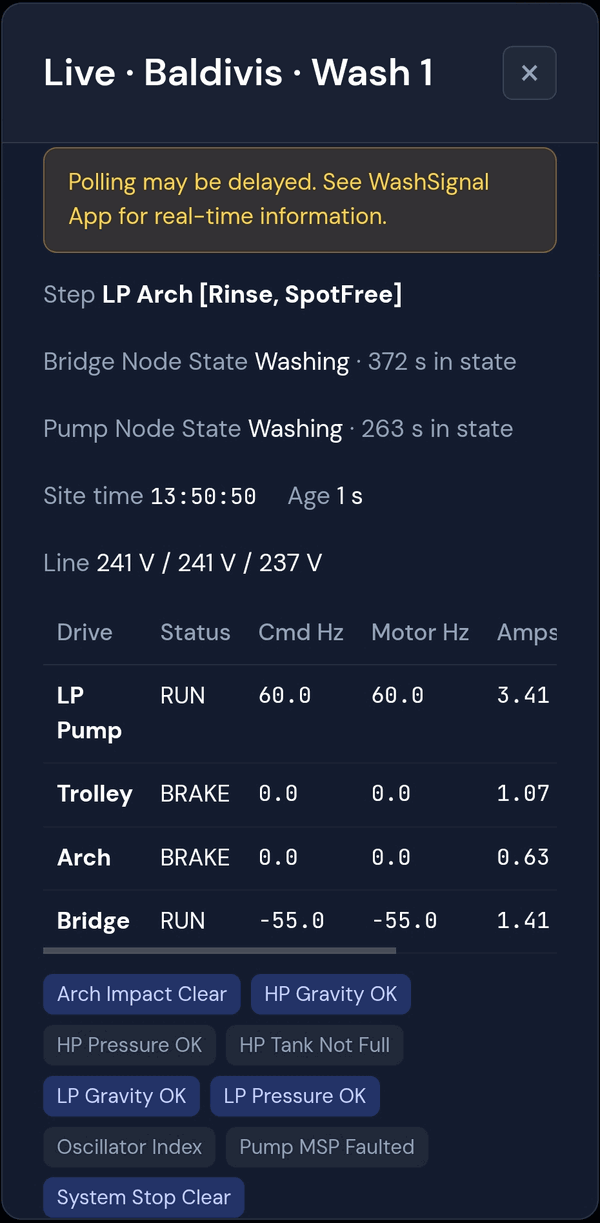
  • 🔴 Live view — watch a wash's drives update from anywhere while it runs.
A wash on the web dashboard - drive cards and 30 days of amps
Live view of a wash on a phone
A diagnostics alert on a phone Turning on phone alerts from the dashboard bell
Pro

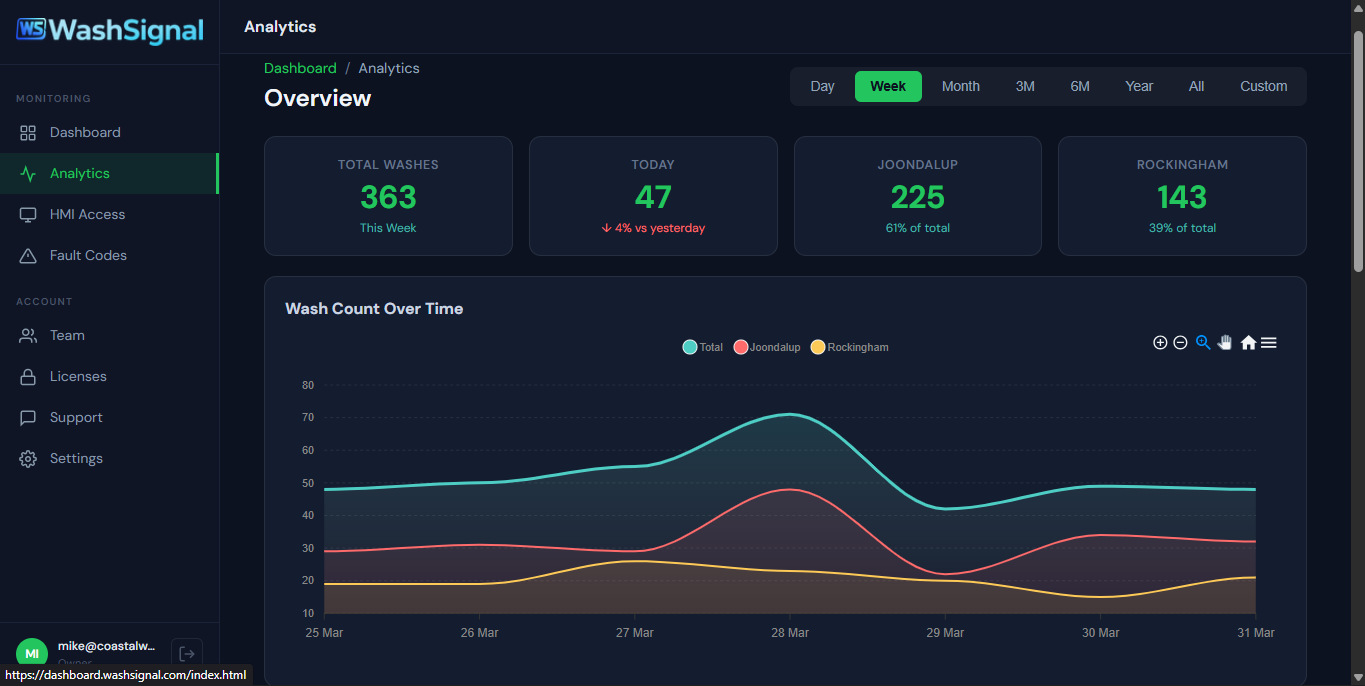
Wash analytics & trends

Stop guessing how your wash is performing. See exactly how many washes you're doing, when your peak hours are, and how each bay compares — with historical data going back months.

  • 📈 Daily, weekly, monthly views — wash count trends over time. Spot seasonal patterns and track growth.
  • 🕐 Peak hour analysis — know when you're busiest so you can staff and schedule maintenance around demand.
  • 💰 Revenue estimates — map wash counts against your pricing to see estimated income per bay, per site, per period.
  • ⚠️ Abort rate tracking — see which bays are aborting more than they should. Catch mechanical issues before they become downtime.
Analytics charts
Team: Basic + Pro Tech Grants: Pro

Team & technician management

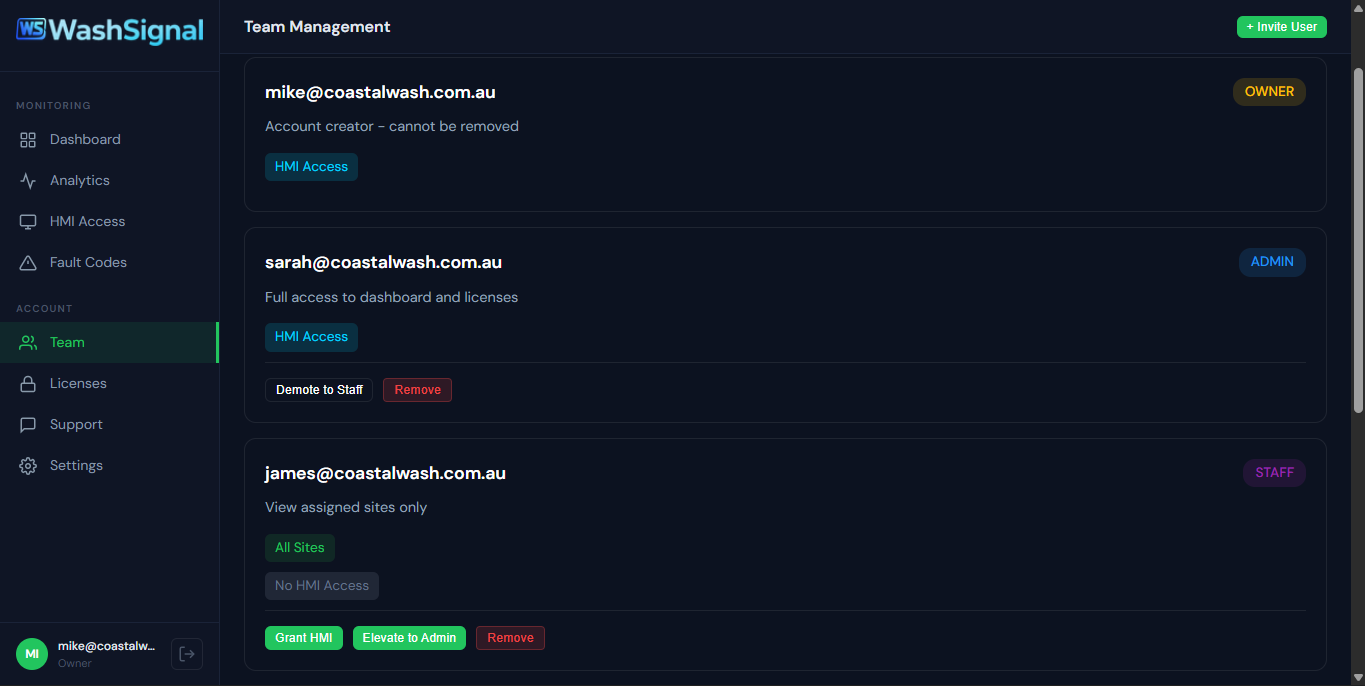
You don't run a car wash alone. Invite your team to the dashboard with role-based access, and give technicians exactly the access they need — nothing more.

  • 👤 Role-based access — Owner, Admin, and Staff roles. Control who can see settings, manage team members, or just monitor bays.
  • ✉️ Email invitations — invite team members by email. They set up their own account and get immediate access to your sites.
  • 🔧 Technician grants (Pro) — give a tech remote HMI access to specific sites. They see a simplified dashboard with only their assigned sites and HMI buttons.
  • 🚫 Revoke anytime — remove a team member or revoke a technician's access with one click. Changes take effect immediately.
Team management page
Pro

LED queue sign control

Purpose-built outdoor LED signs that show customers exactly what's happening at your wash — with your branding, your content, in real-time.

  • ⏱️ Live countdown timers — customers see exactly when each bay will be free. Reduces perceived wait times and stops people driving off.
  • 🟢 Automatic bay status — OPEN, WASHING, CLOSED, MAINTENANCE. Updated instantly from the LaserWash controller.
  • 📣 IDLE content rotation — display your logo, promotions, custom text, or animated GIFs when bays aren't in use.
  • 🎨 Matrix Editor — design pixel-perfect content with the built-in editor. Upload images and GIFs via the Media Manager.
  • ✨ Animated borders & transitions — add visual flair with configurable border effects and smooth content transitions.
  • 🌤️ Built for outdoors — IP65 rated P4 panels. High brightness, visible in direct sunlight. Front-opening enclosure for easy servicing.
Photo: LED sign installed at car wash
Basic + Pro

Security you don't have to think about

WashSignal handles security at every layer — from how your credentials are stored locally to how data moves between your site and the cloud.

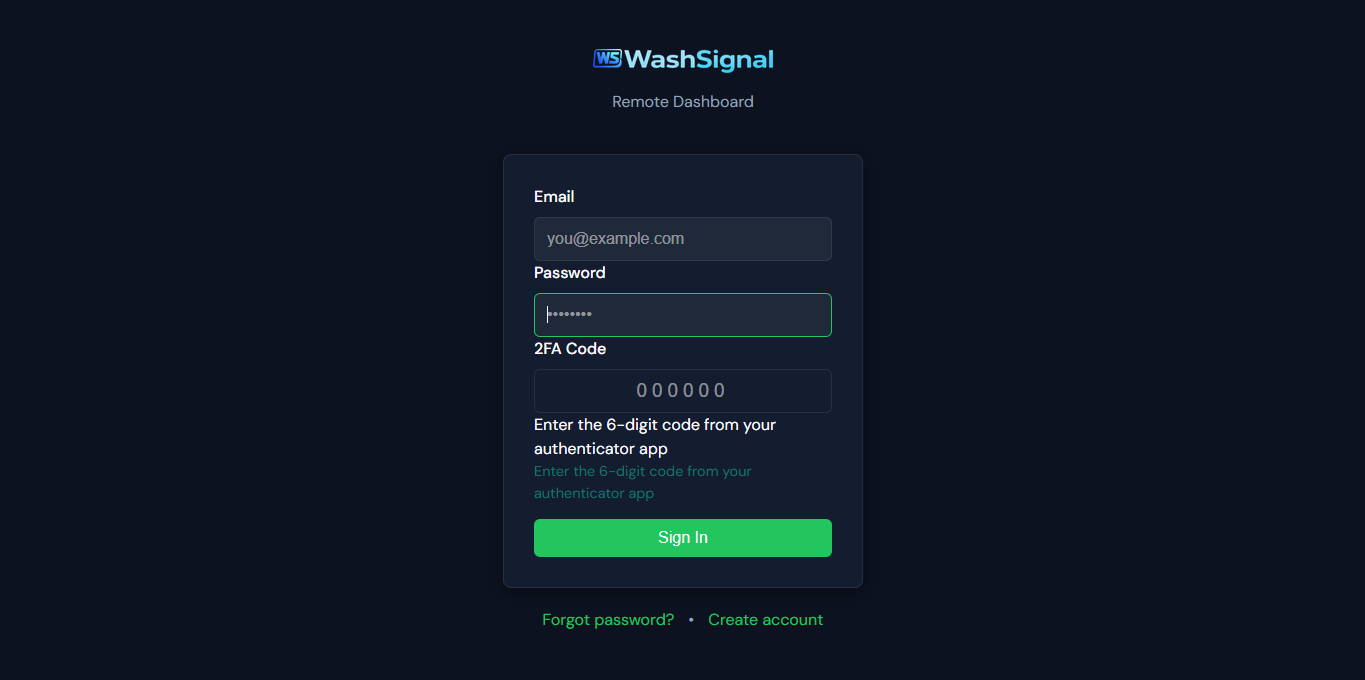
  • 🔑 Two-factor authentication — optional 2FA on all dashboard accounts. TOTP-based, works with any authenticator app.
  • 🔒 Encrypted credential storage — your LaserWash usernames and passwords are stored encrypted on your local machine using hardware-bound keys.
  • ✍️ Signed updates — every software update is cryptographically signed with Ed25519. The app verifies signatures before applying updates.
  • 🛡️ Cloudflare protection — DDoS mitigation, web application firewall, and TLS encryption on all cloud communication.
  • ⏱️ Rate limiting — API rate limiting and brute-force protection on all authentication endpoints.
2FA setup

Basic vs Pro — at a glance

All features unlocked during the 14-day free trial.

Feature Basic Pro
Monitoring
Real-time bay status✓✓
Multi-site dashboard✓✓
Today's wash counts✓✓
Remote commands✓✓
Remote Access
Remote HMI access—✓
Technician access grants—✓
Diagnostics
Fault codes & abort reports✓✓
Live drive diagnostics—✓
Early warnings learned per machine—✓
Diagnostics on the web dashboard—✓
Alerts on your phone—✓
Analytics
Full wash analytics—✓
Historical trends & peak hours—✓
Revenue estimates—✓
Abort rate tracking—✓
LED Signs
LED sign control—✓
Matrix Editor—✓
Media Manager (images, GIFs)—✓
IDLE content & borders—✓
Team & Security
Team management & roles✓✓
Email invitations✓✓
Two-factor authentication✓✓
Encrypted credential storage✓✓
Signed updates✓✓
Support
Email support✓✓
Priority support—✓
Software updates included✓✓

See it all in action

The 14-day trial unlocks every feature — including Pro. No credit card required.

Start Free Trial View Pricing

Windows 10/11 · 14-day free trial · No credit card required